 KAGE
01 · Record
Click through the task
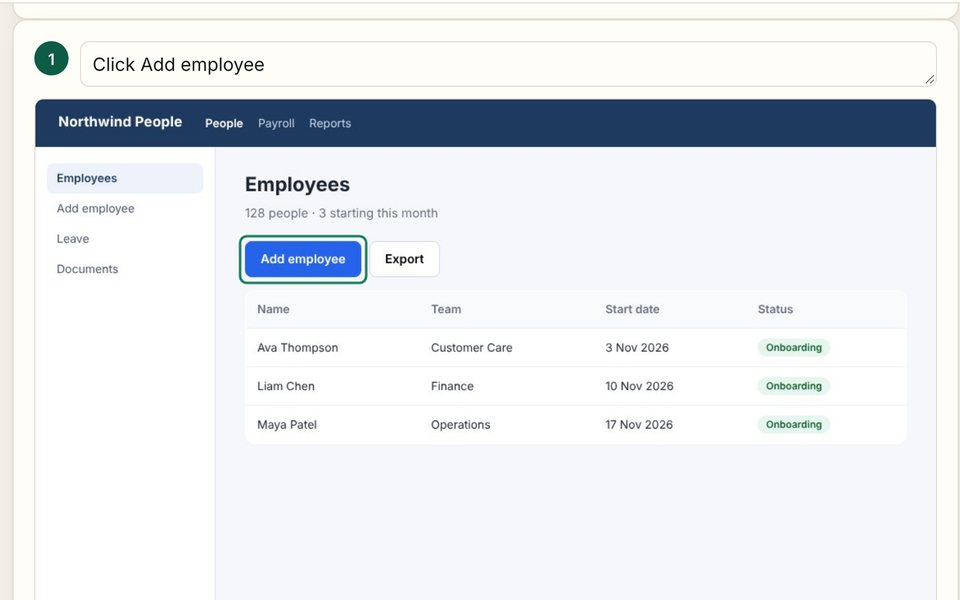
Every click becomes a step with a screenshot and plain-English wording. Passwords and card numbers are blurred for you.
 FlowHop is now on Chrome, Edge & Firefox →
FlowHop records any browser task as a step-by-step guide with screenshots. When the system changes, update every guide in minutes – and send your team a 30-second video of what changed.
FlowHop
For SOPs, work instructions, onboarding and every "how do I…?" question your team asks twice.
Every click becomes a step with a screenshot and plain-English wording. Passwords and card numbers are blurred for you.
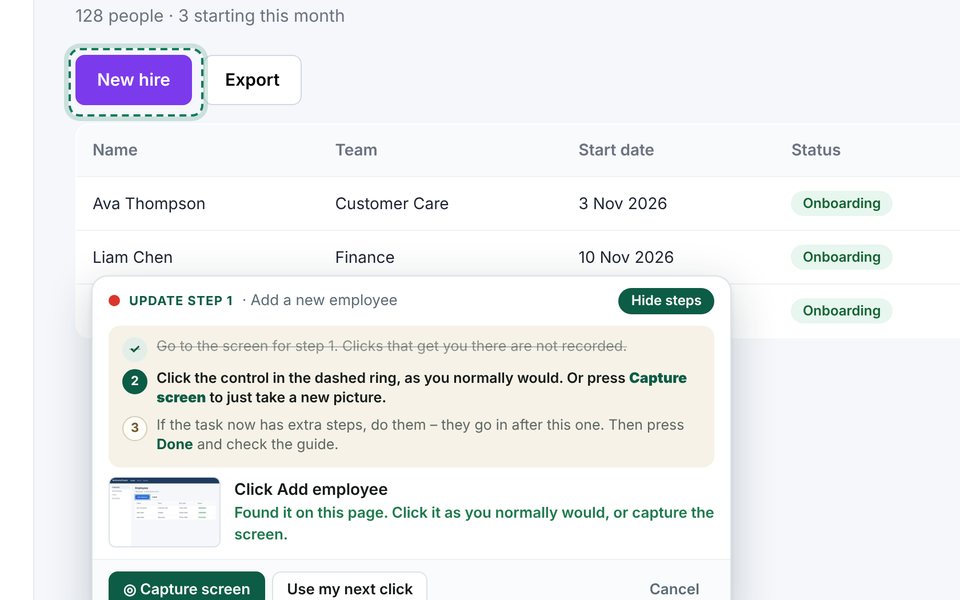
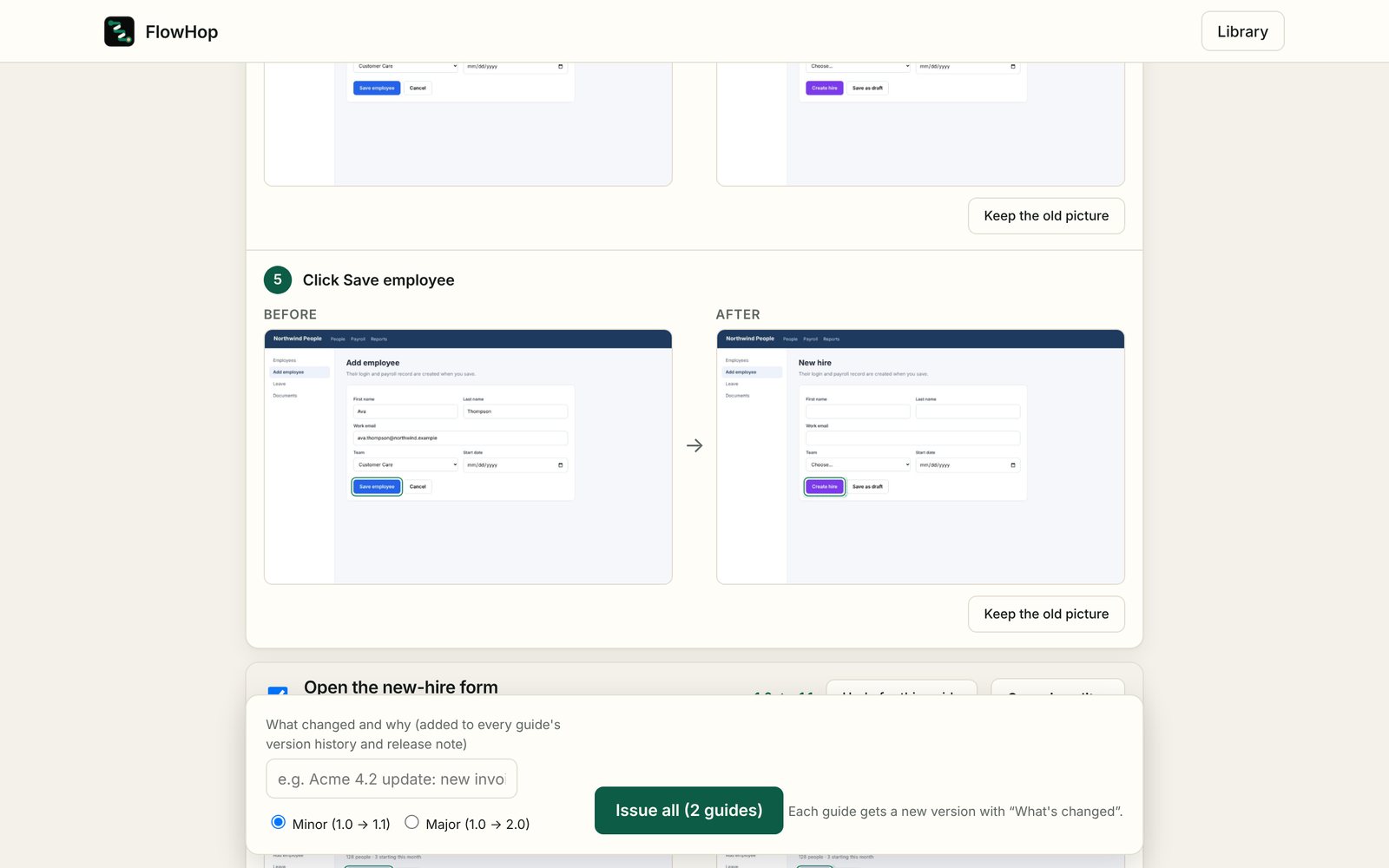
FlowHop rings the button that changed and walks you through it. Capture a screen once and every guide that uses it updates.
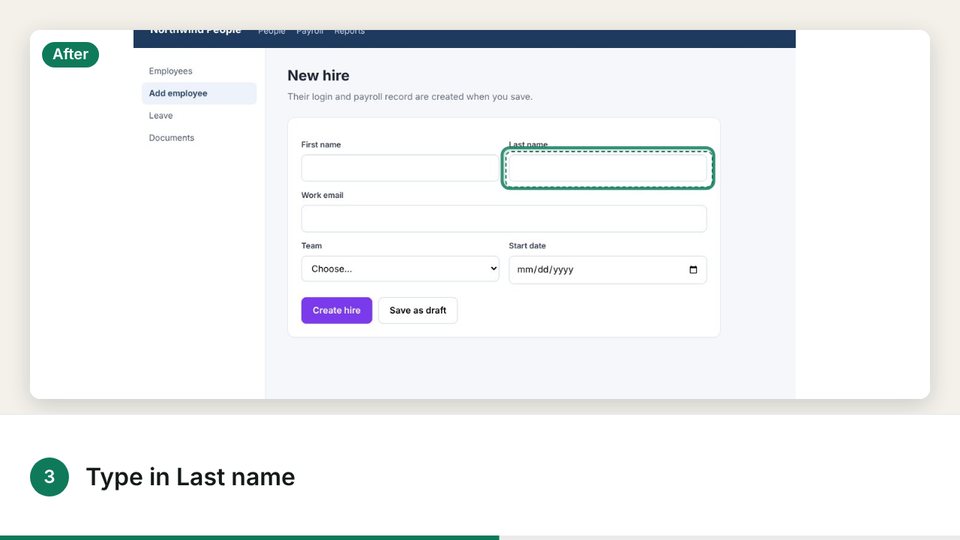
A before → after video with captions for Teams, email or a phone, plus a ready-made update email with a PDF.
Watch a real reel →Private by design
Other guide tools upload every screenshot to their cloud. FlowHop keeps everything on your computer, encrypted – so it works on HR, finance and internal systems, and test environments other tools can't touch.
Simple pricing
Per person, in Australian dollars. Monthly plans available. Cancel any time – your guides stay yours.
no card needed
Unlimited recording, editing, blur and web-page downloads.
or A$9 a month
Word and PDF with your branding, annotations, auto-redact and sharing.
or A$24 a month
Update all, change reels, Tell your team, document control and versions.
More from Kage Lab
Copy any table from a website into Excel, CSV or Google Sheets in one click – even long tables across several pages.
Free · Microsoft Edge
Learn more →
Never lose a long web form again. Autosaves what you type and restores it after a crash or timeout – and drafts big applications in Word.
Free · Chrome & Microsoft Edge
Learn more →Your information stays on your computer. We don't run servers that collect it, and we don't track what you do online.
Each tool does one job well and only asks for the access it needs – explained in plain English.
A genuinely useful free version, honest prices, and no lock-in. Made in Sydney.